
A 3D film camera.
Make it yours.
Shoot through a live iPhone viewfinder set inside a 3D camera body, with a moving shutter and dials. Customize the body, choose A or M, then load a film and see its color in the viewfinder.
Explore the camera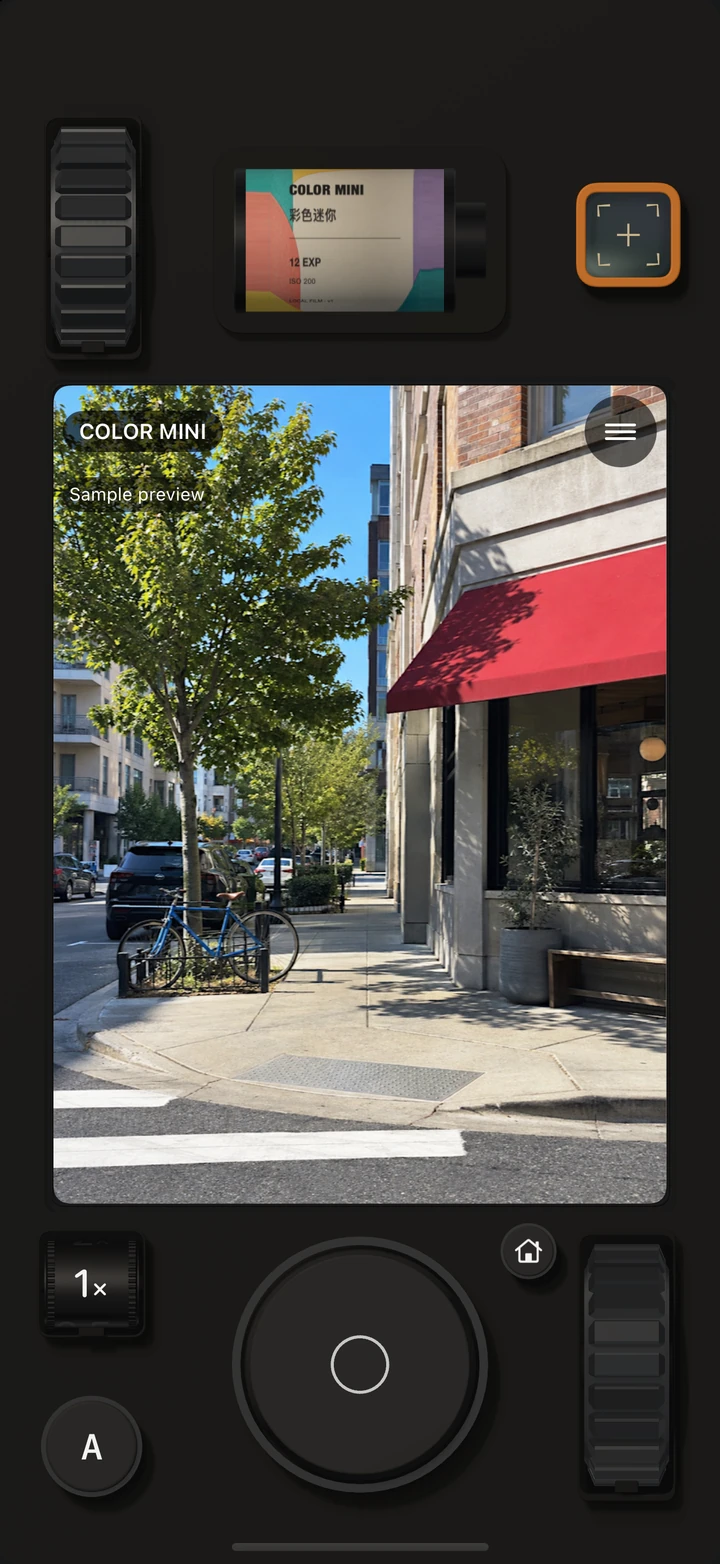
Switch films in the viewfinder.
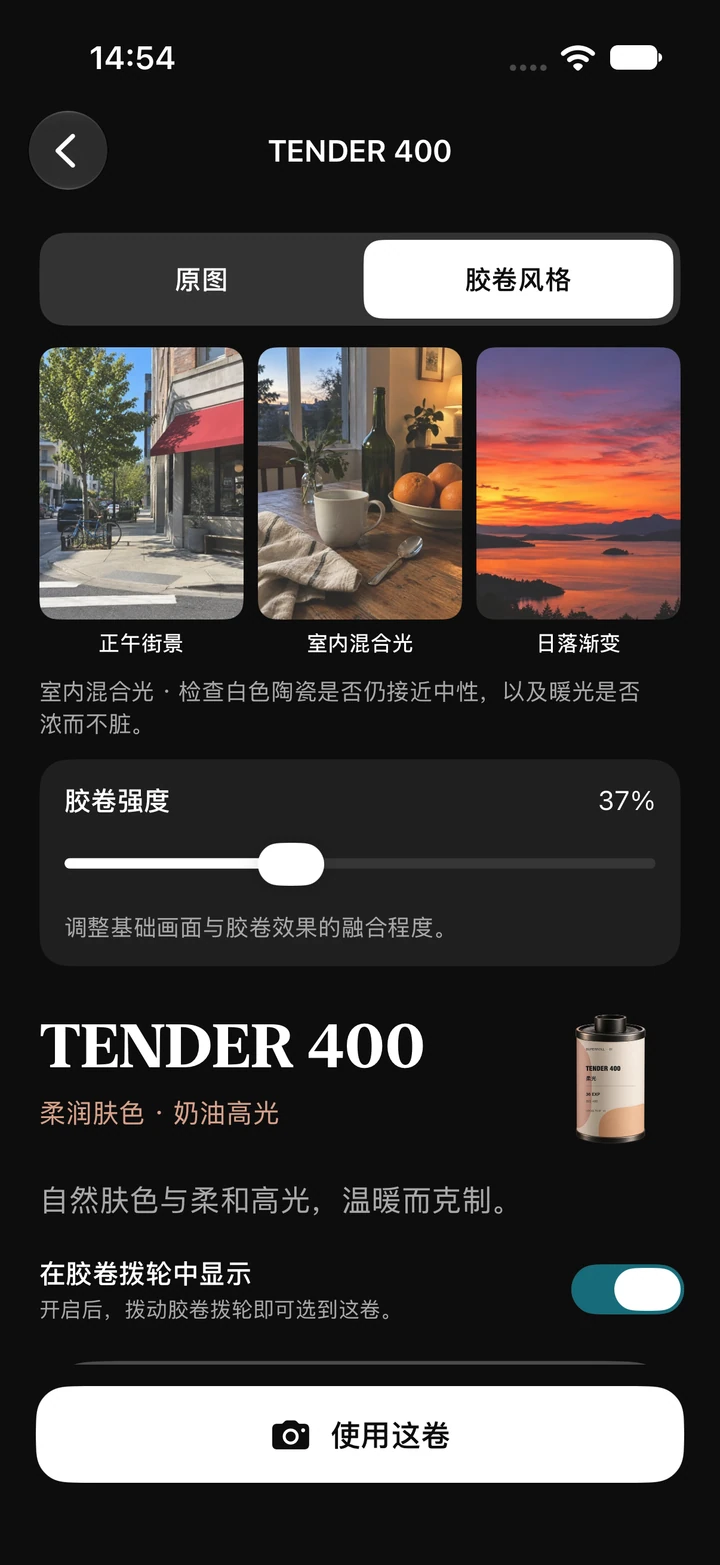
Turn the film dial to preview a different look and release it to load the film. Tap the cartridge to open the catalog, compare looks such as AIRY DAYLIGHT and SILVER STREET on the same sample scene, and adjust film strength on the iPhone.
Three dials for the way you shoot.
Turn the film dial to switch styles, the lens dial to change focal length, and the exposure dial to adjust exposure compensation. When you hold the iPhone sideways, control labels turn with it, and the dials and shutter stay in place.
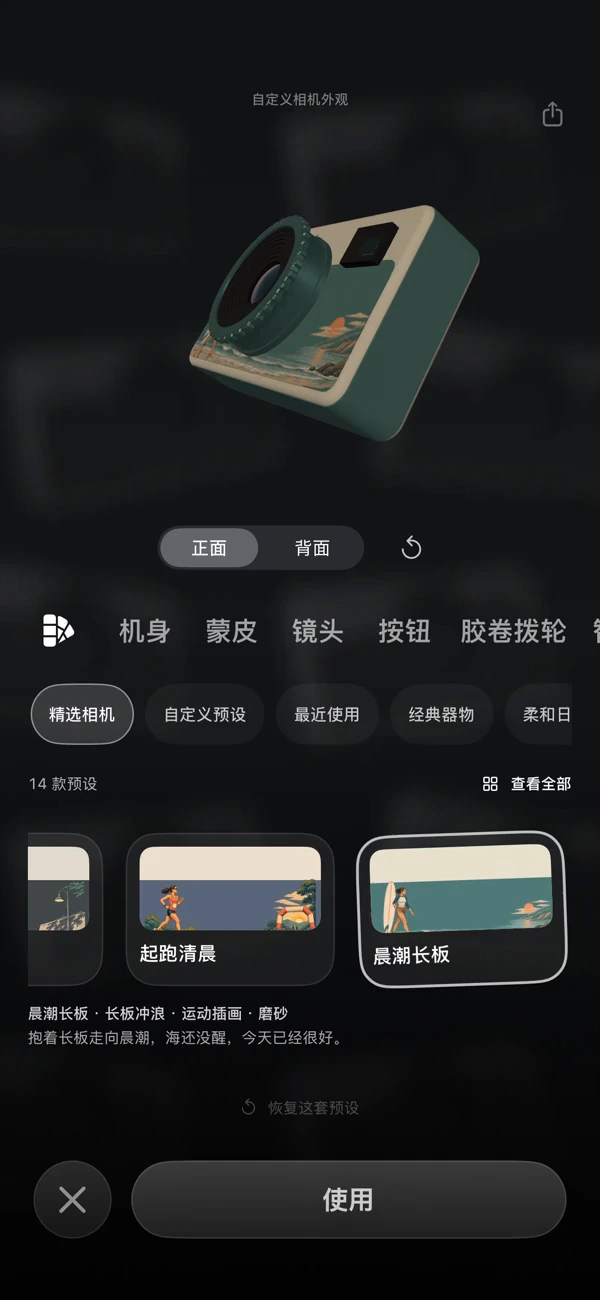
Customize the 3D camera by part.
Start with a preset and rotate or zoom the 3D camera to see both sides. Set colors and materials for the body, skin, buttons, dials, shutter and lens independently. Toggle the artwork on patterned presets and save your combination as a named preset.
Switch between automatic and manual controls.
Tap the A/M button to switch. In A, the camera handles focus, exposure and white balance. In M on supported lenses, set focus with the focus ring and select shutter speed, ISO or white balance in the viewfinder before turning the exposure dial. A live histogram shows the exposure as you adjust it.
Common questions
Can I shoot RAW or HDR?
On supported lenses, the shooting settings offer RAW capture. HDR also requires a supported RAW mode and 10-bit HEIC encoding.
Can I try another film after taking a photo?
Yes. Open a photo in SuperRoll and choose a different on-device film. The app keeps the original and saves your edit as a separate version.